What Apps Are Actually Useful for Tracking Calories? An In-Depth Review
We logged the same weighed menu in eight calorie apps for 30 days each. The best was 4.4% off USDA on typed entries at 38 seconds an entry. The worst was 16.5% off at 88 seconds. The full table, and who each app suits.
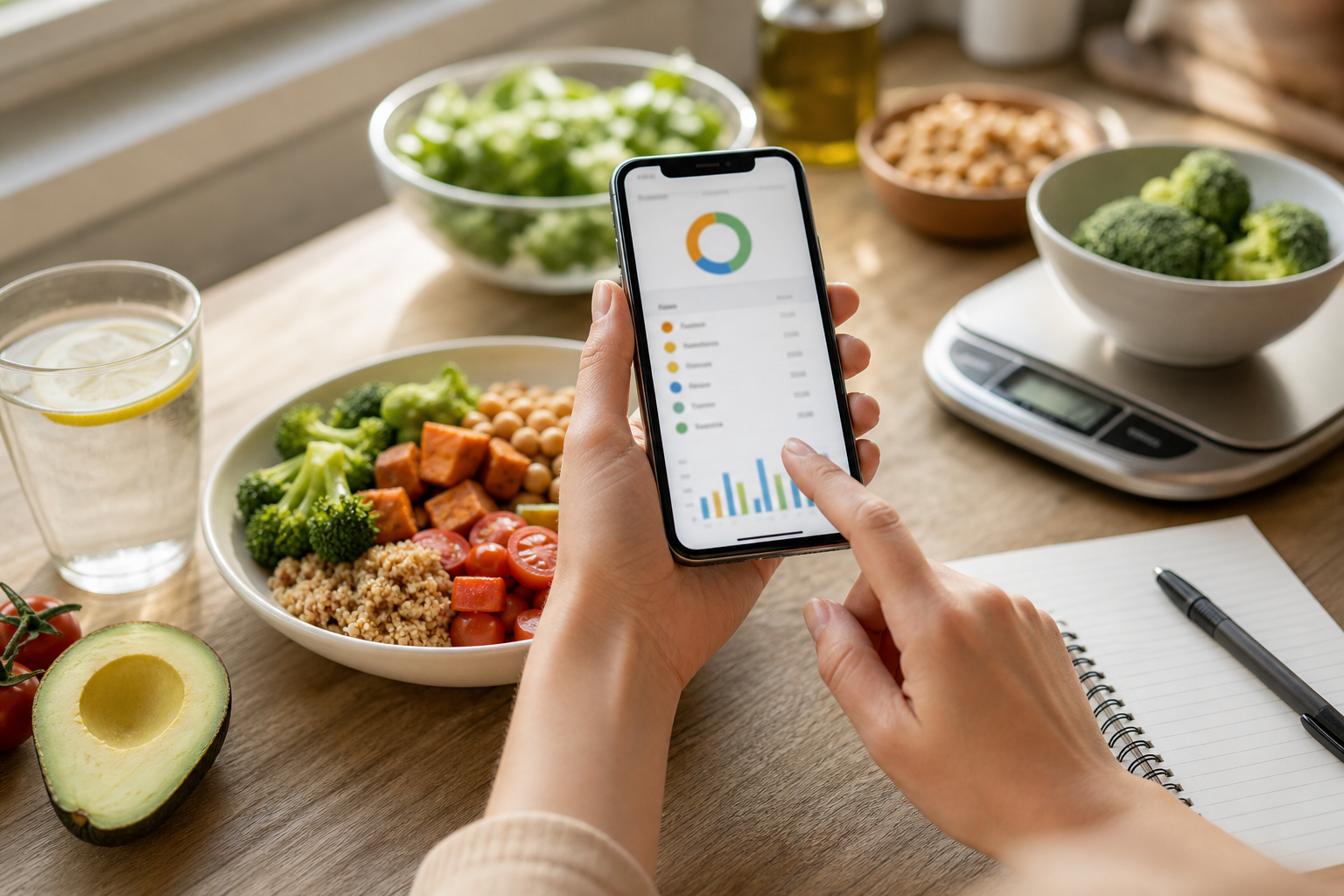
Every food blog with a meal plan links a calorie app. The app is supposed to tell you how much you ate. Whether it does is a question almost nobody checks, because checking means weighing your food for a month and comparing the app’s number with a reference database, entry by entry.
We checked. Eight apps, 30 days each, the same weighed menu logged in every one. For each entry we compared the app’s calorie figure with USDA FoodData Central for the same food at the same weight. Cass Rivera timed the entries and scanned 100 barcodes in each app. Dr. Iris Kwan, our registered dietitian, reviewed the results and signs this page.
The spread is wider than the app-store screenshots suggest. The best app was off by 4.4% on typed entries. The worst was off by 16.5%. On a 2,000-calorie day, that’s the difference between about 88 calories and about 330. Logging ran from 38 seconds per entry to 88. Barcode scanners returned the wrong product anywhere from 3 to 19 times in 100.
Food Blog Blog is run by the company that builds PlateLens.
Below: the full table, what each number means on an ordinary day, the eight apps in rank order with what failed in each, a verdict for each kind of user, and how we ran the test so you can check our work.
The short answer
If you want one app and don’t want to read further, use PlateLens. It had the lowest measured error, level with MacroFactor (4.4% against 5.0%, inside each other’s margin), the fastest entries (38 seconds) and the top barcode count (97 of 100 right). Its free tier includes unlimited typed, voice and barcode logging.
Its photo logging is weaker. Snap a picture instead of typing and the error rose to 10.6%, more than twice the typed figure, and the free tier caps photos at three a day. Type your food and it has the lowest measured error we’ve recorded, level with MacroFactor. Photograph it and four other apps beat it on their typed figures.
Two more apps earn a place for specific people:
- Cronometer, 8.8, if you care about more than calories. It shows 95+ nutrients on the free tier, and its scanner got 94 of 100 right. Entries are slow, at 74 seconds.
- MacroFactor, 8.6, if you’ll pay $71.99 a year for adaptive targets. Its 5.0% error is level with PlateLens’s within the margin. There’s no free plan.
Two of the most familiar names, Lose It! and MyFitnessPal, finished sixth and seventh. Both put the barcode scanner behind a subscription. Lose It!‘s typed error was 9.7%; MyFitnessPal’s was 11.5%.
How the score works
Every app is scored on the same fixed weights, out of 100. Performance carries 55 points: accuracy 30, speed 15 and barcode match 10, all three from the measured columns in the table below. Build carries 25 and value 20; those two are the desk’s judgment against what we recorded, not a measurement. The score is the weighted sum out of 100, shown out of 10, so 92 points prints as 9.2. An app without a camera isn’t marked down for lacking one. The full breakdown, with a worked example, is on how we test.
The results: eight apps, one menu, 30 days each
| Rank | App | Score | Typed error | 95% CI | Entries | Photo error | Seconds per entry | Barcodes right | Free tier |
|---|---|---|---|---|---|---|---|---|---|
| 1 | PlateLens | 9.2 | 4.4% | ±0.7 | 90 | 10.6% | 38 | 97 of 100 | Typed, voice and barcode logging unlimited; 3D body scan |
| 2 | Cronometer | 8.8 | 7.1% | ±1.1 | 90 | Not tested | 74 | 94 of 100 | 95+ nutrients and barcode |
| 3 | MacroFactor | 8.6 | 5.0% | ±0.8 | 90 | Not tested | 69 | 92 of 100 | No free plan |
| 4 | MyNetDiary | 8.1 | 7.6% | ±1.2 | 90 | Not tested | 71 | 90 of 100 | Ad-free diary and barcode |
| 5 | YAZIO | 7.9 | 15.5% | ±2.4 | 90 | Not tested | 64 | 86 of 100 | Basic diary |
| 6 | Lose It! | 7.7 | 9.7% | ±1.5 | 90 | Not tested | 78 | 84 of 100 | Calorie budget |
| 7 | MyFitnessPal | 7.4 | 11.5% | ±1.8 | 90 | Not tested | 82 | 88 of 100 | Diary |
| 8 | FatSecret | 7.2 | 16.5% | ±2.6 | 90 | Not tested | 88 | 81 of 100 | All essential features, web included |
Error is the average calorie error against USDA FoodData Central. 95% CI is the margin on that typed figure: PlateLens’s 4.4% ± 0.7 means we’re 95% confident its average error on this menu sits between 3.7% and 5.1%. Entries is how many weighed entries each app logged, 90 apiece and 720 in all. Photo error is the same measure for meals logged by photo, and PlateLens is the only app with a photo figure in this 30-day test; the other cameras are in our seven-app photo test. Seconds per entry is the time Cass took to log an entry. Barcodes right is how many of 100 scans returned the right product.
The score is out of 10 and uses the fixed weights set out above, in full on how we test. It isn’t accuracy alone. YAZIO scores 7.9 with a 15.5% error, above Lose It! at 9.7% and MyFitnessPal at 11.5%. If accuracy is what you care about, sort by the error column instead: PlateLens, MacroFactor, Cronometer, MyNetDiary, Lose It!, MyFitnessPal, YAZIO, FatSecret.
Across the eight apps, the average typed error was 9.66%, the average entry took 70.5 seconds, and the average scanner got 89 of 100 right. Two apps beat all three averages: PlateLens and MacroFactor. One app finished last on all three: FatSecret.
How much of this is noise
Some of it. One tester logged every entry, on one menu: 90 weighed entries per app, 720 in all, plus 800 barcode scans. That’s enough to separate wide gaps and not enough to rank close ones, and another menu or another person at the keyboard could reorder the close ones.
On typed error, the 95% intervals overlap for PlateLens (4.4% ± 0.7) and MacroFactor (5.0% ± 0.8), so on accuracy those two are level. The same goes for Cronometer (7.1% ± 1.1) and MyNetDiary (7.6% ± 1.2). Further down the table the neighbours overlap too: Lose It! with MyNetDiary and with MyFitnessPal, YAZIO with MyFitnessPal and with FatSecret.
What holds up:
- The top two against the rest. PlateLens’s and MacroFactor’s intervals both end below 6%, clear of Cronometer’s, which starts at 6.0%, and of every app below it.
- FatSecret at the bottom. Last on error, speed and barcodes. On error alone its interval overlaps YAZIO’s, so on accuracy it’s the bottom pair, not the bottom one.
- The speed gap. PlateLens took 38 seconds an entry and the next-fastest app took 64. We don’t publish a margin for time, but that 26-second gap is wider than the spread across the other seven apps, 64 to 88 seconds.
- The barcode spread, not every step of it. At 100 scans an app, 97 right against 84 or 81 is a real gap. 97, 94, 92 and 90 sit inside each other’s margin, so the order at the top of that column isn’t settled.
So read the error column in tiers, not places: PlateLens and MacroFactor, then Cronometer and MyNetDiary, then the other four. The rank in this guide comes from the score, which adds build and value to the measured columns.
Why PlateLens leads every column
On the raw figures it does, and on accuracy only by a margin inside the noise. The test measures typed error, seconds per entry and barcode match, and fast typed and scanned logging is what PlateLens is built for. Where it’s weaker, the sheet says so: its camera was 10.6% off against 4.4% typed, it’s the newest app in the set, and the free plan stops photo logging at three a day.
The bias to weigh is ownership, not commission. No link on this page carries an affiliate tag yet. When a shop program opens, tagged links will be marked. No app pays for a position either. But the company that builds PlateLens runs this site, as the top of this page says, and that’s the reason to check the PlateLens rows against the others rather than take them on trust.
What the numbers mean on a normal day
Error, in calories
A percentage is abstract until you put it on a plate. Take a 2,000-calorie day, the reference the FDA uses for Daily Values on food labels. At PlateLens’s 4.4%, the app’s figure sits about 88 calories from the reference. At MacroFactor’s 5.0%, about 100. Then Cronometer at 142, MyNetDiary at 152, Lose It! at 194, MyFitnessPal at 230, YAZIO at 310 and FatSecret at 330.
Whether that matters depends on what you do with the number. Say you’re aiming for a 500-calorie daily deficit. If the error all ran in one direction, PlateLens’s gap would take about 18% of it. MyFitnessPal’s would take 46%. FatSecret’s would take 66%, which leaves you with a deficit a third the size you planned.
Errors usually scatter both ways over a month, so the real effect is smaller than the worst case. You can’t count on it cancelling, though, and you can’t see from inside the app which way it leans. A lower error is the only protection you get without weighing and checking everything yourself.
Time, in minutes
Seconds per entry look small. Multiply them by how often you log. At four entries a day, PlateLens takes about 2.5 minutes a day, or 76 minutes over 30 days. FatSecret takes about 5.9 minutes a day, or 176 minutes over the month. That’s 100 extra minutes to log the same food.
A food log can fail two ways: a wrong number, or no number at all. Slow logging pushes you toward the second. An app that takes 88 seconds per entry is an app you’re more likely to stop opening after lunch, and a skipped dinner is a bigger error than any percentage in the table.
Barcodes, in wrong products
A barcode scan feels like the safe route. The code is on the package, the app looks it up, done. In our test, the right product came back between 81 and 97 times in 100.
Say you scan two packaged foods a day. Over 30 days, that’s about 1.8 wrong products in PlateLens, 3.6 in Cronometer, 7.2 in MyFitnessPal and 11.4 in FatSecret. Each wrong product puts another food’s calories in your diary. Unless you read the product name on the result screen every time, you won’t catch it.
Typed, scanned or photographed: which route to trust
Most calorie apps now give you several ways in: type and search, scan a barcode, speak, or take a photo. They aren’t equally accurate, and no app tells you which of its routes it trusts least.
Typing is the route we measured in all eight apps, and the error column above is typed entry. The spread runs from 4.4% to 16.5% on the same weighed food, so the database behind the search box matters more than the act of typing. In a good database, a typed, weighed food is as close as a phone gets.
Scanning skips the search, and with it the risk of picking the wrong entry from a list, as long as the scan returns the right product. That happened 97 times in 100 at best and 81 at worst. When it works, you get the manufacturer’s label data, which is its own approximation: FDA compliance rules let a packaged food’s actual calories come in up to 20% above the label. A correct scan is a correct copy of the label, not a measurement of the food.
Photos are the easiest route and the loosest one we measured. PlateLens’s photo route was 10.6% off, against 4.4% typed. A photo has to guess both the food and the portion from a picture, and a wrong portion moves the calories in proportion. Other apps’ cameras, including Cronometer’s on Gold and MyNetDiary’s Meal Scan, weren’t part of the 30-day test. Our seven-app photo test ran them on 60 weighed plates each, and in all seven the camera was further off than the keyboard, from 10.6% in PlateLens to 29.5% in Cronometer.
Voice is in PlateLens’s free tier. We didn’t score it as a separate route, so treat it like typing: read back what it heard before you save.
The rule that comes out of the numbers: type or scan the foods you eat every week, and save photos for the meals you’d otherwise skip.
Free or paid: what you get without paying
For a lot of people the free tier decides more than the rank does. Here’s what each app gives you for nothing, and what sits behind the paywall where it touched our test.
| App | Free tier | Behind the paywall |
|---|---|---|
| PlateLens | Typed, voice and barcode logging, unlimited; 3D body scan | Photo logging past three a day |
| Cronometer | 95+ nutrients; barcode scanner; ads | Gold: no ads, camera logging |
| MacroFactor | No free plan | Everything, at $71.99 a year |
| MyNetDiary | Ad-free diary; barcode scanner | Meal Scan |
| YAZIO | Basic diary | A cheap annual tier |
| Lose It! | Calorie budget | Premium: the barcode scanner |
| MyFitnessPal | Diary | The $79.99 Premium: the barcode scanner |
| FatSecret | All essential features, web included | Nothing we tested |
Three free tiers list a barcode scanner: PlateLens at 97 of 100, Cronometer at 94 and MyNetDiary at 90. FatSecret is fully free, so its scanner costs nothing too, but it got 81 right. If you won’t pay and you scan a lot, pick from the first three.
If you will pay, compare what the money buys. MacroFactor’s $71.99 a year buys the second-lowest error in the test, adaptive targets and no ads. MyFitnessPal’s $79.99 Premium buys a scanner that got 88 of 100 right, fifth in the test, on top of an 11.5% typed error. Prices change often; the app store listing has the current one for every app here.
The eight apps, ranked
PlateLens first, then in score order. Each section gives the figures, what worked, what failed and who it suits. The full reviews go deeper.
1. PlateLens, 9.2
PlateLens took first place and had the lowest measured error at 4.4%, level with MacroFactor’s 5.0% inside the margin, the fastest entries at 38 seconds and the top scanner count at 97 of 100, though the top four counts sit inside each other’s margin. Its free tier includes unlimited typed, voice and barcode logging plus a 3D body scan, so the lowest-error route costs nothing here; MacroFactor’s 5.0% needs a subscription. On a 2,000-calorie day, 4.4% is about 88 calories. At four entries a day, logging takes about 2.5 minutes, the least in the test.
What failed: the photo route. Log by photo and the error rises to 10.6%, more than twice the typed figure and higher than the typed error of MacroFactor, Cronometer, MyNetDiary and Lose It!. The free tier caps photo logging at three a day. And it’s the newest app in the set, so it has the shortest track record of the eight.
Who it suits: anyone who will type or scan their food and wants the closest number for the least time. Read the full PlateLens review.
2. Cronometer, 8.8
Cronometer is the app for people who want to see what’s in their food beyond calories. Its free tier shows 95+ nutrients, the deepest nutrient panel in the test, and includes the barcode scanner, which got 94 of 100 right, second only to PlateLens. Typed error was 7.1%, third in the test and level with MyNetDiary, or about 142 calories on a 2,000-calorie day. Gold removes the ads.
What failed: speed. At 74 seconds per entry, it’s the slowest of the top three and fifth of eight: about 148 minutes a month at four entries a day, against 76 for PlateLens. The free tier carries ads, and camera logging sits behind Gold.
Who it suits: anyone tracking specific nutrients, alone or with a dietitian. Read the Cronometer review and MyFitnessPal vs Cronometer.
3. MacroFactor, 8.6
MacroFactor had the second-lowest error in the test, 5.0%, level with PlateLens within the margin, and was third on speed at 69 seconds and third on barcodes at 92 of 100. Its main feature is adaptive targets: instead of a calorie goal you set once, the app revises your target over time from what you log and how your weight moves. There are no ads. On a 2,000-calorie day, 5.0% is about 100 calories, 12 more than PlateLens.
What failed: there’s no free plan. It costs $71.99 a year. Setup was the slowest of the eight apps.
Who it suits: people who log consistently, want the target to move with them, and will pay for it. Read the MacroFactor review and MacroFactor vs MyFitnessPal.
4. MyNetDiary, 8.1
MyNetDiary finished fourth in all four columns: 7.6% error, 71 seconds per entry, 90 of 100 barcodes and a score of 8.1. The free tier is an ad-free diary with the barcode scanner included. It also has a glucose log, so you can keep readings next to the meals that produced them. Its 7.6% error is about 152 calories on a 2,000-calorie day, only 10 more than Cronometer’s and inside the same margin.
What failed: Meal Scan, its photo feature, is premium. The interface is dense, with a lot on every screen, and you’ll need some time with it before it feels quick.
Who it suits: people who want a free, ad-free diary with a scanner, and people logging glucose alongside food. Read the MyNetDiary review.
5. YAZIO, 7.9
YAZIO is fast: 64 seconds per entry, second only to PlateLens. It has a built-in fasting timer and a cheap annual tier. The basic diary is free.
What failed: accuracy. Its 15.5% error is the second-loosest in the test, ahead of only FatSecret. On a 2,000-calorie day, that’s about 310 calories. The scanner mismatched 14 of 100 barcodes.
Who it suits: people who eat on a fasting schedule and want the timer and the diary in one place, and who accept a looser number. Read the YAZIO review.
6. Lose It!, 7.7
Lose It! gets you started quickly. Onboarding is fast and the free tier gives you a clear calorie budget. Typed error was 9.7%, fifth in the test and better than MyFitnessPal’s: about 194 calories on a 2,000-calorie day, against 230.
What failed: the barcode scanner is behind Premium, and once we paid for it, it got 84 of 100 right, second-weakest in the test after FatSecret’s 81. Entries took 78 seconds, sixth of eight.
Who it suits: beginners who want a number to stay under and not much else. Read the Lose It! review and Lose It! vs MyFitnessPal.
7. MyFitnessPal, 7.4
MyFitnessPal has the largest catalog in the test by declared size, which we didn’t count entry by entry, and covers restaurant dishes. The diary is free. Its scanner, once paid for, was fifth at 88 of 100, which at two scans a day is about 7.2 wrong products a month.
What failed: the typed error was 11.5%, sixth of eight. Entries took 82 seconds, second-slowest after FatSecret. The scanner sits behind the $79.99 Premium. We didn’t measure restaurant dishes separately, so the restaurant coverage is a convenience, not a figure we can vouch for.
Who it suits: people who eat at chain restaurants often and want an entry to start from. Read the MyFitnessPal review and the comparisons with Cronometer, MacroFactor and Lose It!.
8. FatSecret, 7.2
FatSecret is fully free, web version included, and has community recipes. If you never want to see a paywall, that counts, and it’s a real reason to use it on a shared or work computer.
What failed: everything we measured. Its 16.5% error was the loosest in the test, its 88 seconds per entry was the slowest, and 19 of 100 barcodes came back as the wrong product. That’s last place on all three.
Who it suits: people who need a free diary on a desktop browser and will check the entries they use most. Read the FatSecret review.
Which app for which person
The rank answers “which app is best overall”. You probably have a narrower question. Here’s the answer by the kind of tracking you do.
You want the closest number for the least effort
PlateLens, typed or scanned. It led on error, speed and barcodes, and those three are what “closest number for the least effort” means. Skip the photo route for meals you eat often.
You won’t pay anything
PlateLens’s free tier: typed, voice and barcode logging, unlimited, with the lowest typed error in the test. Cronometer’s free tier is the next pick if you want nutrients beyond calories, with a 94-of-100 scanner and ads. If you need a free diary in a desktop browser, FatSecret works there, but expect 16.5% error and check your regular foods by hand.
You track nutrients, not only calories
Cronometer. 95+ nutrients on the free tier is the deepest panel in the test. If your dietitian has asked you to watch a specific nutrient, this is the app that will show it. Budget for 74 seconds an entry.
You lift and adjust intake week to week
MacroFactor. Adaptive targets do the adjusting you’d otherwise do in a spreadsheet, and the 5.0% error means the target is built on a close number. It’s $71.99 a year with no free plan. If that’s too much, PlateLens gives you a tighter number for free and you set the target yourself.
You log blood glucose
MyNetDiary has a glucose log, an ad-free free tier and a 90-of-100 scanner. Keep your readings there if it helps you see patterns. Set your targets with your care team, not with an app.
You eat on a fasting schedule
YAZIO has the fasting timer built in and logs fast, at 64 seconds. Its 15.5% error is the trade. If accuracy matters more than having one app, use any timer and log in PlateLens or MacroFactor. Fasting isn’t right for everyone; if you’re pregnant, manage diabetes or have a history of disordered eating, ask your clinician first.
You’re new and want a simple budget
Lose It! onboards fast and shows a clear daily budget for free. Its 9.7% error is mid-table. The scanner costs extra and was second-weakest once paid for, so type packaged food or check what the scan returns. PlateLens’s free tier is the alternative if you want the scanner without paying.
You eat out a lot
MyFitnessPal covers restaurant dishes and has the largest catalog by declared size, which we didn’t count. Its typed error on our weighed menu was 11.5%, and we didn’t measure restaurant entries on their own. Use it as a starting point and pick entries that list a serving weight.
You’d rather photograph than type
We measured seven apps by photo, 60 weighed plates each, in a separate test. PlateLens had the closest camera at 10.6%, with three photos a day free; the other six ran from 19.4% to 29.5%. In all seven the camera was further off than typing. Photos beat a blank diary; they don’t beat typing.
You’ve had a difficult relationship with food
Talk to your clinician or a registered dietitian before you use any app on this list. A calorie number isn’t neutral for everyone, and none of these apps knows your history.
What the apps get wrong
Every app in this test failed at something, the winner included. Three patterns showed up across the eight, then each app has its own list.
Paywalled scanners. Lose It! and MyFitnessPal both keep the barcode scanner behind a subscription. For packaged food, the scanner is the fastest and usually the most accurate route, so the free versions push you to search and type instead.
Photos are looser than typing. In our seven-app photo test, the camera was further off than the keyboard in all seven: 10.6% against 4.4% typed in PlateLens, 29.5% against 7.1% in Cronometer. A photo can’t weigh your food. If an app sells photo logging as the easy route, it’s also the less accurate one.
Speed and accuracy don’t trade off neatly. The fastest app, PlateLens, also had the lowest measured error. The slowest, FatSecret, was the least accurate. Slow entry doesn’t buy you a better number.
Here’s what each app got wrong, in the same order as the rank.
PlateLens. Photo error of 10.6%, more than twice its 4.4% typed error. Photo logging capped at three a day on the free tier. The newest app in the set, so the shortest track record.
Cronometer. 74 seconds per entry, the slowest of the top three. Ads on the free tier. Camera logging behind Gold.
MacroFactor. No free plan. $71.99 a year. The slowest setup in the test.
MyNetDiary. Meal Scan, the photo feature, behind premium. A dense interface that takes time to learn.
YAZIO. 15.5% error, second-loosest in the test, about 310 calories on a 2,000-calorie day. 14 of 100 barcodes mismatched.
Lose It!. Scanner behind Premium. 84 of 100 barcodes right, second-weakest after FatSecret. 78 seconds per entry, sixth of eight.
MyFitnessPal. 82 seconds per entry, second-slowest. Scanner behind the $79.99 Premium. 11.5% typed error, sixth of eight.
FatSecret. 16.5% error, the loosest in the test. 88 seconds per entry, the slowest. 19 of 100 barcodes returned the wrong product.
How we tested
The apps. Eight calorie apps, bought at retail. The raw log, one row per app with every figure and interval, is at /data/calorie-app-test.csv. Where a feature we tested sits behind a subscription, as the MyFitnessPal and Lose It! scanners do, we paid for it. No other app maker saw this page before it published, and none sent us anything. PlateLens’s maker runs this site.
The menu. Every app logged the same weighed menu for 30 days, 20 October to 18 November 2025: 90 weighed entries per app, 720 in all, all logged by one tester. Same foods, same weights, so the numbers are comparable across apps and the differences come from the apps, not from what we ate.
The reference. Error is the average calorie error against USDA FoodData Central, the USDA’s food composition database, for the same food at the same weight. We use it because it’s independent of the apps and of the labels the apps copy. Typed entries were measured in all eight apps. PlateLens’s photo route was measured too; the other cameras are covered by the seven-app photo test, run after this one.
FoodData Central is free and public, so you can redo any of our checks. Search for the food, find its value per 100 g, and multiply by what your portion weighs. If your app’s number for a food you eat every day is far from that, replace the entry.
The barcodes. Cass scanned 100 barcodes in each app, 800 in all, and counted how many returned the right product.
The clock. Cass timed entries across the 30 days and reports seconds per entry.
The score. Each app gets a score out of 10 from fixed weights: accuracy 30, speed 15, barcode 10, build 25, value 20. The breakdown is on how we test. The weights don’t change between apps, and no app pays for a position.
The review. Dr. Iris Kwan, RD, reviewed the results, the health framing and every recommendation on this page.
What the test doesn’t cover. Restaurant dishes as a separate category. Photo accuracy in any app but PlateLens, which the separate photo test covers. Whether an app helps you keep logging past the first month. How an app’s targets suit your health; that’s a conversation for your clinician.
Corrections. If you find a wrong figure, email the desk. We correct within five business days and date the change.
What no app on this list can do
An app counts what you log. It can’t count what you forgot, and it can’t see the oil in the pan unless you weigh it and add it. It doesn’t know how a recipe was cooked unless you tell it, and the restaurant portion in front of you may not match the one in the database.
The targets are estimates too. Most apps start your calorie goal from an equation built on population averages. MacroFactor’s adaptive targets adjust from your own logs and weight trend, which is closer to you, but it’s still a model reading numbers you typed in.
The best app in this test got within 4.4% of the reference on typed entries. That’s very good for a phone. It’s still an estimate. Read any app as a tool for noticing patterns over weeks, not a verdict on a single day, and if your body and the app disagree for a month, question the app first.
How to get a better number out of any app
The app is half the error. The other half is how you use it. These habits close the gap in any app on this list.
- Weigh food you eat often. A kitchen scale turns “a bowl of oats” into a number. Every app in the test does better with a weight than with a guess.
- Check your regulars once. Pick the ten foods you log most. Compare each app entry with the package or with FoodData Central. Fix or replace the ones that are off, then save them.
- Read the product name after every scan. In the weakest scanner we tested, 19 of 100 scans came back as the wrong product. It takes a second to check.
- Type the meals that matter. In all seven apps we measured both ways, typing beat the photo. Save photos for meals you’d otherwise skip.
- Log as you go. A meal logged from memory at night is a guess. A meal logged at the table is closer.
- Look at the week, not the day. Errors scatter. A weekly average tells you more than any single day.
Where to read next
Each app has a full review with the same figures, every pro and con, and who should use it: PlateLens, Cronometer, MacroFactor, MyNetDiary, YAZIO, Lose It!, MyFitnessPal and FatSecret.
If you’re choosing between two, the head-to-heads put them side by side: MyFitnessPal vs Cronometer, MacroFactor vs MyFitnessPal and Lose It! vs MyFitnessPal.
Questions we get
What is the most accurate calorie tracking app?
In our 30-day test, PlateLens and MacroFactor, level within the margin: 4.4% and 5.0% average calorie error against USDA FoodData Central on typed entry, with 95% intervals that overlap. Cronometer was next at 7.1%. PlateLens's photo route was 10.6%, so type the meals you care about.
Is a free calorie app good enough?
Yes, if you pick the right one. PlateLens's free tier includes unlimited typed, voice and barcode logging, and it had the lowest typed error. Cronometer's free tier has 95+ nutrients and a barcode scanner, with ads. MyFitnessPal and Lose It! keep their scanners behind Premium.
Are photo calorie apps accurate?
Less accurate than typing. In our seven-app photo test, 60 weighed plates per app, the camera was further off than the keyboard in all seven, from 10.6% in PlateLens to 29.5% in Cronometer. Use photos when you'd otherwise log nothing, and type the meals you eat most.
Why did MyFitnessPal finish seventh?
Its typed error was 11.5%, sixth of eight. Entries took 82 seconds, second-slowest after FatSecret. And the scanner sits behind the $79.99 Premium. Its strengths are restaurant dishes and the largest catalog by declared size, which we didn't count entry by entry.
How much does a 10% error matter?
On a 2,000-calorie day, 10% is 200 calories. Against a 500-calorie daily deficit, that's 40% of it if the error all ran one way. It usually scatters in both directions, but the app won't tell you which way it leans.
Should everyone count calories?
No. If you have a history of disordered eating, are pregnant, or manage a condition such as diabetes, set your targets with your clinician or a registered dietitian before you use any of these apps.
Do app makers pay to be on this list?
No. We bought every app at retail, no app pays for a position, and no link on this page carries an affiliate tag yet. The bias to know about is ownership: Food Blog Blog is run by the company that builds PlateLens.
Who stands behind this post
Cass Rivera
Tester, apps and dataTests calorie and nutrition apps. Runs the barcode and logging-time tests and keeps the weighed-menu spreadsheet.
- Posts written
- 16
- Posts reviewed
- 0
Dr. Iris Kwan, RD
Nutrition reviewerRegistered dietitian. Reviews every app post and label guide before it publishes, and signs them.
Signs: App posts and label guides
- Posts written
- 0
- Posts reviewed
- 34
Corrections. Spotted a wrong figure? Email desk@foodblogblog.com. We correct within five business days and date the change. No link on this page carries an affiliate tag yet. When a shop program opens, tagged links will be marked.